- Source Code: https://github.com/alvarcarto/url-to-pdf-api
- First, investigate the routes for the microservice:
/src/router.js- Uses express
- First, investigate the routes for the microservice:

Also uses custom imports

Investigate the /api/render endpoint:
- Validation function is run
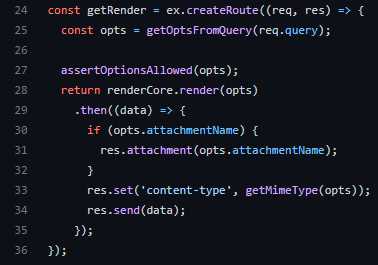
- The application calls the validation function before calling the handler function (set by the last parameter, or render.getRender).

The query renderQuerySchema is called, which is an Joi object (https://joi.dev/):
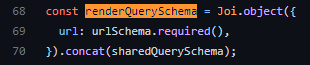
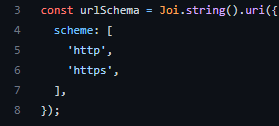
The schema onlys allows HTTP/HTTPS, preventing access to the file:// schema, for example:
Here, the way the microservice renders the URI is interesting and worth investigation:
This uses puppeteer, which is a node library for managing chrome or chromium
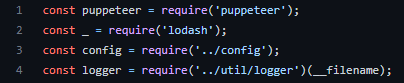
A new browser instance + a new page (tab) is created

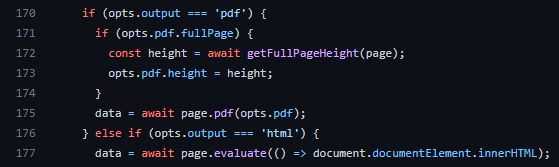
If no HTML is present in the options (to fall into the else), we will navigate to the URL sent:
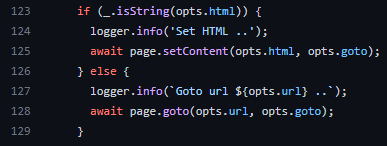
If the requested output is PDF, the document returned is in PDF format, otherwise arbitrary JavaScript can be evaluated if HTML