
CORS instructs a browser, via headers, which origins are allowed to access resources from the server.
SOP does not prevent the request from being sent, but instead prevents the response from being read. However, there are exceptions. Some requests require an HTTP preflight request (sent with the OPTIONS method), which determines if the subsequent browser request should be allowed to be sent. Standard GET, HEAD, and POST requests don’t require preflight requests. However, other request methods, requests with custom HTTP headers, or POST requests with nonstandard content-types will require a preflight request.
Examples:
fetch("https://example.com",
   {
   	method: 'post',
   	headers: {
   		"Content-type": "application/x-www-form-urlencoded;"
   	}
   })
Non-standard value POST requests, are anything that is not “application/x-www-form-urlencoded”, “multipart/form-data”, or “text/plain”. Sending with any other headers will result in the need to send a preflight request using OPTIONS.
Use ‘https://cors-test.appspot.com’ to test for CORS headers.
fetch("https://cors-test.appspot.com/test",
   {
   	method: 'post',
   	headers: {
   		"Content-type": "application/json;"
   	}
   })
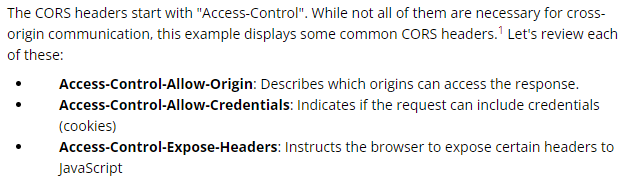
The only origins allowed to read a resource are those listed in Access-Control-Allow-Origin. This header can be set to three values: “”, an origin, or “null”.
The “null” value may seem like the secure option, but it is not. Certain documents and files opened in the browser have a “null” origin. If the goal is to block other origins from sending requests to the target, removing the header is the most secure option.
Unfortunately, Access-Control-Allow-Origin only lets sites set a single origin. The header cannot contain wildcards (*.a.com) or lists (a.com, b.com, c.com). For this reason, developers found a creative (and insecure) solution. By dynamically setting the Access-Control-Allow-Origin header to the origin of the request, multiple origins can send requests with Cookies.
Origin
- The Origin header is always sent by the browser in a CORS request and indicates the origin of the request.
- The Origin header can not be changed from JavaScript however relying on this header for Access Control checks is not a good idea as it may be spoofed outside the browser, so you still need to check that application-level protocols are used to protect sensitive data.
Access-Control-Allow-Origin
- A response header used by a server to indicate which domains are allowed to read the response.
- Based on the CORS W3 Specification it is up to the client to determine and enforce the restriction of whether the client has access to the response data based on this header.
- Make sure that there are no insecure configurations using a wildcard as value which looks like Access-Control-Allow-Origin: * as this header means all domains are allowed access to the resource.
- Make sure that when the server returns back the Origin header that there are additional checks so that access of sensitive data is not allowed.
Access-Control-Request-Method
- Used when a browser performs a preflight OPTIONS request and let the client indicate the request method of the final request.
- On the other hand, the Access-Control-Allow-Method is a response header used by the server to describe the methods the clients are allowed to use.
Access-Control-Request-Headers & Access-Control-Allow-Headers
- These two headers are used between the browser and the server to determine which headers can be used to perform a cross-origin request.
Access-Control-Allow-Credentials
- This header as part of a preflight request indicates that the final request can include user credentials.
Input validation: XMLHttpRequest L2 (or XHR L2) introduces the possibility of creating a cross-domain request using the XHR API for backwards compatibility. This can introduce security vulnerabilities that in XHR L1 were not present. Interesting points of the code to exploit would be URLs that are passed to XMLHttpRequest without validation, specially if absolute URLS are allowed because that could lead to code injection. Likewise, other part of the application that can be exploited is if the response data is not escaped and we can control it by providing user-supplied input.
Other headers: There are other headers involved like Access-Control-Max-Age that determines the time a preflight request can be cached in the browser, or Access-Control-Expose-Headers that indicates which headers are safe to expose to the API of a CORS API specification, both are response headers specified in the CORS W3C document.